

If you’re building an AI agent, Google just handed you a direct path to enterprise distribution.
On July 13, 2026, Google Cloud Tech published an official step-by-step guide covering exactly how to get your AI agent in front of millions of enterprise users through Google Cloud Marketplace and the Gemini Enterprise app. The process comes down to three things: design your architecture, create an A2A Agent Card, and publish to the Marketplace.
Here’s everything you need to understand about what that actually means.
WHY THIS MATTERS RIGHT NOW
Enterprise demand for specialized AI agents is accelerating fast. According to Google’s own AI Agent Trends report, 89% of business teams are already using AI agents, and the average organization runs 12. Customer service, marketing, security operations, and IT support are the four most common use cases each representing massive markets for third-party agent builders.
The Gemini Enterprise app already has millions of paid seats across thousands of companies. That’s the distribution channel Google is now opening to outside developers through this guide.
STEP 1 DESIGN YOUR ARCHITECTURE
The foundation of everything is the Agent2Agent (A2A) protocol Google’s open interoperability standard for AI agents. Originally launched with 50 technology partners, A2A has now reached 150 organizations in production (not pilot). It’s now at version 1.2, governed by the Linux Foundation under the Agentic AI Foundation, and supported natively in Microsoft, AWS, Salesforce, SAP, and ServiceNow environments.
When designing your agent, you need to decide:
– Interaction pattern: Will your agent use streaming or handle asynchronous tasks? This affects how the Gemini Enterprise app communicates with it.
– Authentication model: Public access (for agents that don’t touch sensitive user data) or OAuth 2.0 Authorization Code Grant Flow (for agents acting on behalf of users or accessing enterprise data).
– UI experience: You can optionally implement the A2UI protocol, which lets your agent generate rich, interactive user interfaces inside the Gemini Enterprise app rather than just returning text responses.
STEP 2 CREATE YOUR A2A AGENT CARD
The Agent Card is the key artifact that makes everything else work. It’s a JSON file, stored in Google Cloud Storage, that declares:
– Your agent’s name, description, and capabilities (skills)
– Supported authentication and authorization methods
– Service endpoints (where the Gemini Enterprise app sends messages and checks task status)
– Optional: Dynamic Client Registration (DCR) endpoint for OAuth
The Gemini Enterprise app reads your Agent Card to discover your agent, display its metadata to users, determine authentication requirements, and locate the correct endpoints for all API calls. It’s the machine-readable identity and capability declaration of your agent think of it as your agent’s passport into the Google Cloud ecosystem.
For Marketplace listing, the Agent Card is mandatory. You cannot list without one.
STEP 3 PUBLISH TO MARKETPLACE AND GEMINI ENTERPRISE
Once your agent is built and your Agent Card is ready, the publishing process goes through Google’s Producer Portal:
1. Add your agent in Producer Portal and link your Agent Card
2. Fill in product details for your Marketplace listing
3. Set your pricing model: Free, Subscription-based (flat monthly fee, prorated for partial months), or Usage-based (you define the metrics)
4. Integrate with Google Cloud’s Procurement APIs and Pub/Sub for entitlement lifecycle management this handles billing and subscription events automatically
5. Submit for review Google Cloud validates agents for A2A compliance and Gemini Enterprise integration before listing
After Google approves and you publish, enterprise customers can find your agent through the Gemini Enterprise Agent Gallery, discover it via natural language search powered by Gemini, procure it through their existing Google Cloud billing account, and activate it with a single command.
THE GEMINI ENTERPRISE AGENT GALLERY
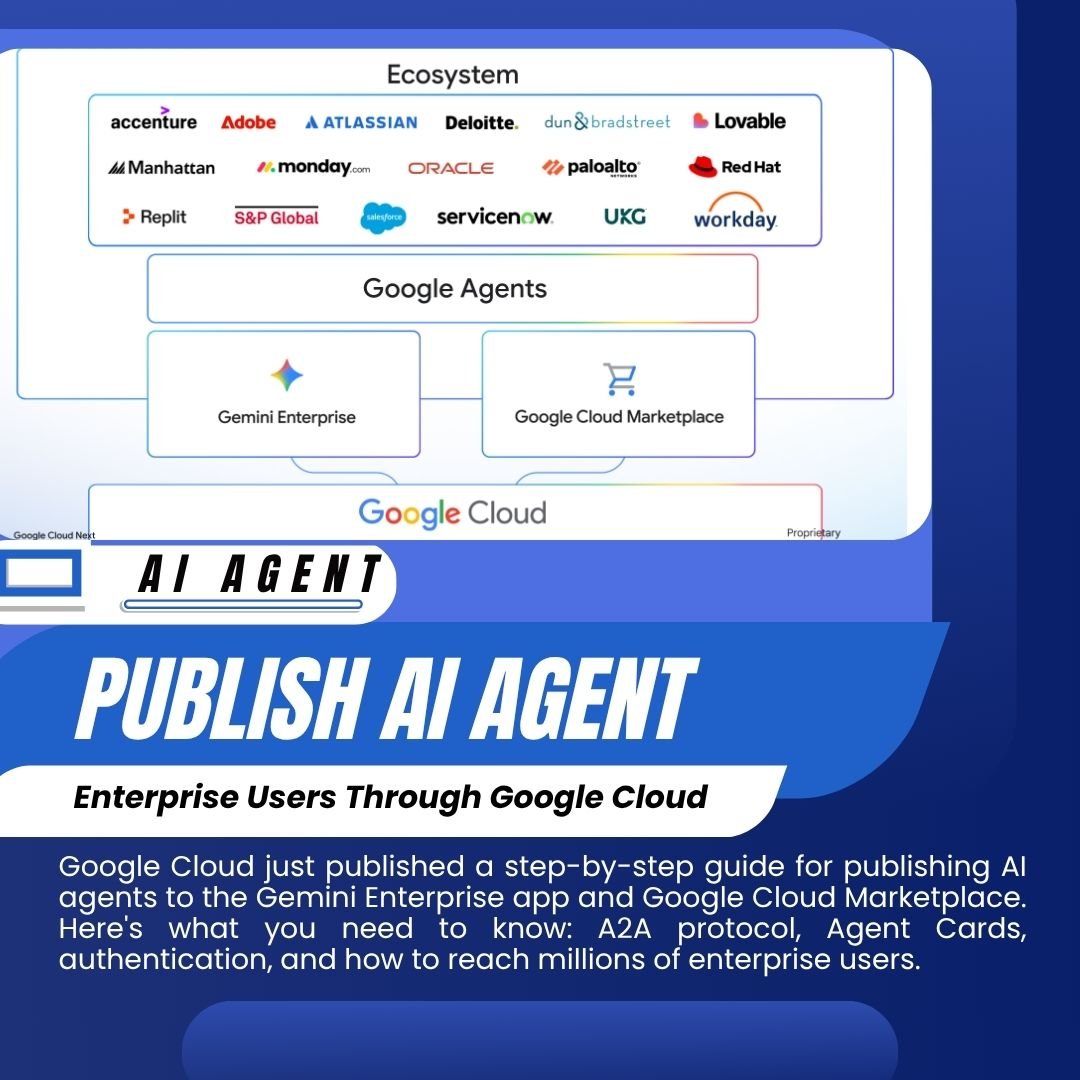
This is the destination where your agent ends up after publishing. The Agent Gallery is the centralized hub inside the Gemini Enterprise app where enterprise organizations discover, purchase, and manage AI agents. IT administrators approve which agents employees can access. Users browse, request access, and work with agents directly inside their existing Gemini Enterprise workflow.
Partners already in the gallery include Adobe, Salesforce, ServiceNow, Workday, Atlassian, Palo Alto Networks, Replit, S&P Global, UiPath, Dynatrace, Elastic, Red Hat, and many others.
WHAT GOOGLE REQUIRES FROM YOUR AGENT
To pass Google’s validation and be listed, your agent must:
– Comply with A2A protocol specifications
– Be customer-ready, secure, and built for enterprise ecosystems
– Be developed in accordance with Google’s AI Principles
– Support multi-agent interoperability via A2A
– Use Google foundation models or third-party models hosted in Model Garden as a default configuration
– Not include professional services, hardware, or non-software components billed through the Marketplace
On security: agents from Google Cloud Marketplace need to implement Model Armor via the REST API within the agent’s application code. The Gemini Enterprise console settings for Model Armor do not automatically extend to Marketplace agents this is a detail that’s tripped up early developers.
THE BIGGER PICTURE
This announcement is part of a broader shift in how Google Cloud thinks about its enterprise AI platform. At Cloud Next 2026 in April, Google renamed Vertex AI to the Gemini Enterprise Agent Platform and merged it with the former Agentspace into a single product. The A2A protocol is the connective layer meant to make agents from different vendors interoperable the way TCP/IP made the internet work across different hardware and software.
The strategic bet is that enterprises won’t run one monolithic AI system. They’ll run dozens of specialized agents from vendors like SAP, Salesforce, and Workday alongside smaller independents all coordinating through a shared protocol. Google wants to be the platform layer, the marketplace, and the interoperability standard all at once.
For independent AI developers, the timing is significant. The Marketplace agent ecosystem is still early. Getting listed and validated now means being part of the initial agent gallery that enterprise IT teams are actively exploring.
BOTTOM LINE
If you’ve built an AI agent and you’re looking for enterprise distribution, Google Cloud just published the clearest path to it that exists right now. Three steps: design to A2A spec, build your Agent Card, publish through Producer Portal. The Gemini Enterprise Agent Gallery has millions of potential users and it’s open to outside builders today.