

Blog
  • Beginner’s Guides
  • Digital Marketing
  • SEO Professionals
  • Web Development
  • Accessibility
  • Testing
Reading: The Gemini App Is Now Available on Windows
Share
BlogBlog
Font ResizerAa
  • Complaint
  • Complaint
  • Advertise
  • Advertise
Search
  • Categories
    • Lifestyle
    • Wellness
    • Healthy
    • Nutrition
  • Categories
    • Lifestyle
    • Wellness
    • Healthy
    • Nutrition
  • More Foxiz
    • Blog Index
    • Complaint
    • Sitemap
    • Advertise
  • More Foxiz
    • Blog Index
    • Complaint
    • Sitemap
    • Advertise
Follow US
Copyright © 2014-2023 Ruby Theme Ltd. All Rights Reserved.
Home » Blog » The Gemini App Is Now Available on Windows
gemini-app-for-windows
AI NewsTech News

The Gemini App Is Now Available on Windows

Emily Parrr
By Emily Parrr
Last updated: September 10, 2026
3 Min Read
SHARE

Google has launched the Gemini app for Windows, bringing its AI assistant directly onto the desktop with a system-wide keyboard shortcut instead of keeping it confined to a browser tab or mobile app.

Contents
  • One Shortcut, Instant Access
    • What You Can Do With It
    • Availability
    • Why This Matters
    • How to Get Started

One Shortcut, Instant Access

The Gemini app is now available for Windows.

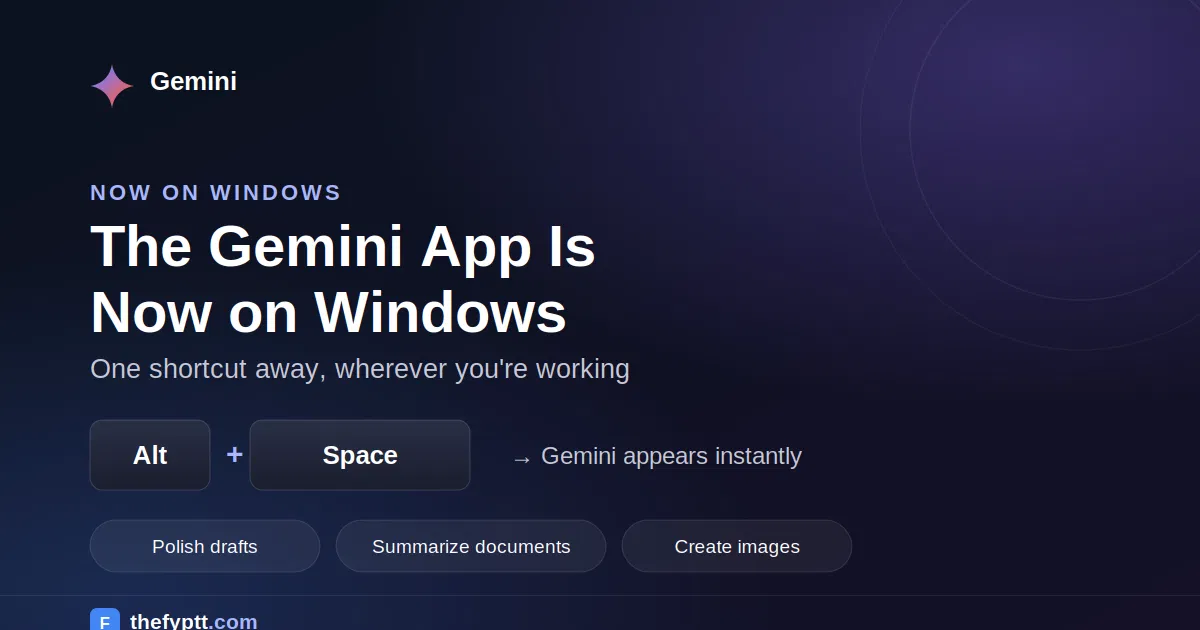
Stay in your flow with help that’s only one shortcut away. Press Alt + Space to polish drafts, summarize long documents, brainstorm new ideas, and create custom images and videos right alongside your favorite tools and daily apps.

— Google Gemini (@GeminiApp) September 10, 2026

The core feature is the Alt + Space shortcut, which opens Gemini over whatever a user is currently working on, without needing to switch windows or open a browser. Google is positioning the app as a tool designed to work seamlessly alongside a person’s existing apps rather than replace them, giving instant assistance without breaking their workflow.

What You Can Do With It

According to Google, three of the main use cases for the new desktop app are:

  • Polish drafts and summarize documents pull up Gemini instantly to refine writing or condense long documents without leaving the app currently open.
  • Brainstorm ideas use Gemini as a quick thinking partner mid-task, whether that’s planning a project or working through a problem.
  • Create custom images and videos generate visual content directly from the desktop, alongside whatever other tools are already open.

The demo Google shared shows the app running as a compact sidebar alongside everyday tasks, letting a user ask Gemini questions without minimizing or switching out of what they’re doing.

Availability

The Gemini app for Windows is available now and can be downloaded from Google’s official Gemini desktop page. Google has not announced a confirmed release timeline for a similar native app on macOS.

Why This Matters

This release continues Google’s broader push to move Gemini out of the browser and onto the desktop directly, following the earlier rollout of a Google app for Windows that combined AI Mode search, Google Lens, and file search under the same Alt + Space shortcut. With a dedicated Gemini app now available, Google is making its AI assistant a persistent, one-keystroke-away layer on Windows PCs rather than a destination users have to navigate to separately.

How to Get Started

Users can visit Google’s official Gemini for Windows download page to install the app and start using the Alt + Space shortcut right away.
Sign Up For Daily Newsletter

Be keep up! Get the latest breaking news delivered straight to your inbox.
[mc4wp_form]
By signing up, you agree to our Terms of Use and acknowledge the data practices in our Privacy Policy. You may unsubscribe at any time.
Share This Article
Facebook Copy Link Print
Previous Article serve-open-models-on-google-cloud 4 Ways to Serve Open Models on Google Cloud: From Fully Managed to Fully Yours
Next Article deep-research-in-gemini-live Deep Research Comes to Gemini Live: Start Research Reports With Your Voice
Leave a Comment

Leave a Reply Cancel reply

Your email address will not be published. Required fields are marked *

FacebookLike
XFollow
PinterestPin
InstagramFollow
Most Popular
deep-research-in-gemini-live
Deep Research Comes to Gemini Live: Start Research Reports With Your Voice
September 15, 2026
gemini-app-for-windows
The Gemini App Is Now Available on Windows
September 10, 2026
serve-open-models-on-google-cloud
4 Ways to Serve Open Models on Google Cloud: From Fully Managed to Fully Yours
September 9, 2026
google-analytics-dashboards
Google Analytics Rolls Out Redesigned Dashboards: A New “Command Center” for Reporting
August 27, 2026
gemini-enterprise-for-financial-services-and-legal
Google Cloud Launches Gemini Enterprise for Financial Services and Legal
August 25, 2026

You Might Also Like

gemini-omni-flash-ai-video
AI NewsTech News

Google’s Gemini Omni Flash Is Here Create AI Videos by Just Describing Them, Plus Build Your Own Digital Avatar

6 Min Read
capcut-google-gemini-partnership-2026
AI NewsAI Tools

CapCut Is Partnering With Google Gemini Edit Images and Videos Directly Inside Gemini App

3 Min Read
AI News

Claude Code Weekly Limits Just Got 50% Higher No Opt-In Required, Live Until July 13

4 Min Read
google-photos-video-remix-gemini-omni-2026
AI NewsTech News

Google Photos Launches Video Remix AI-Powered Video Editing With Gemini Omni

3 Min Read
Blog

FypTT is your go-to hub for SEO, digital marketing, and website tools. We share practical guides, expert tips, and smart resources to help you improve rankings, drive traffic, and build a stronger online presence.

Categories

  • Web Development
  • SEO Professionals
  • Digital Marketing
  • Write for Us
  • SEO Tools
  • How To

Quick Links

  • Terms of Service
  • Privacy Policy
  • Content Us
  • About US
  • FypTT
  • Blogs
Welcome Back!

Sign in to your account

Username or Email Address
Password

Lost your password?