

Blog
  • Beginner’s Guides
  • Digital Marketing
  • SEO Professionals
  • Web Development
  • Accessibility
  • Testing
Reading: Google Launches “Selfie Video” Sign-In: Now Log Into Your Account With Just Your Face
Share
BlogBlog
Font ResizerAa
  • Complaint
  • Complaint
  • Advertise
  • Advertise
Search
  • Categories
    • Lifestyle
    • Wellness
    • Healthy
    • Nutrition
  • Categories
    • Lifestyle
    • Wellness
    • Healthy
    • Nutrition
  • More Foxiz
    • Blog Index
    • Complaint
    • Sitemap
    • Advertise
  • More Foxiz
    • Blog Index
    • Complaint
    • Sitemap
    • Advertise
Follow US
Copyright © 2014-2023 Ruby Theme Ltd. All Rights Reserved.
Home » Blog » Google Launches “Selfie Video” Sign-In: Now Log Into Your Account With Just Your Face
google-selfie-video-sign-in
Cybersecurity NewsTech News

Google Launches “Selfie Video” Sign-In: Now Log Into Your Account With Just Your Face

Emily Parrr
By Emily Parrr
Last updated: July 23, 2026
3 Min Read
SHARE

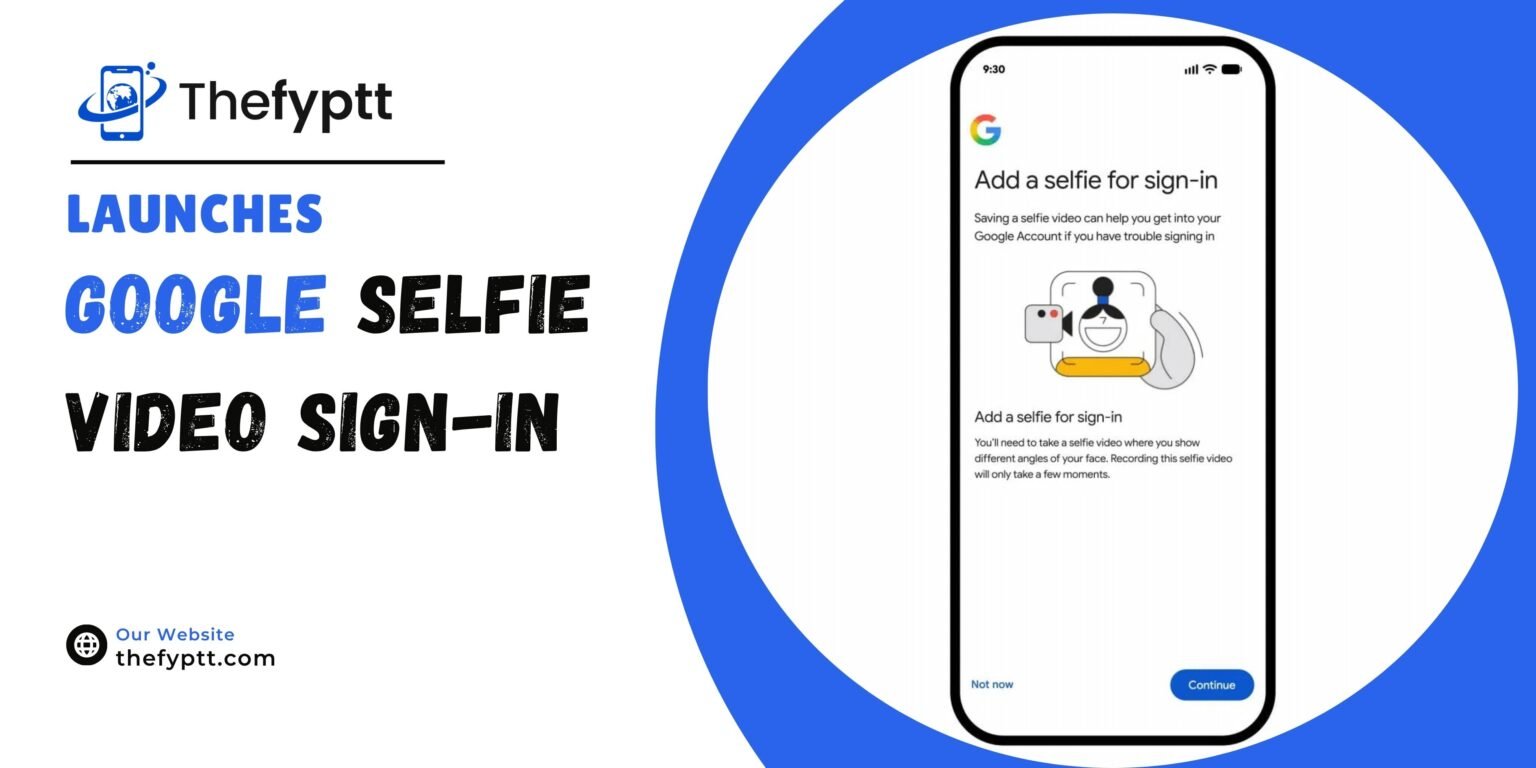
Google has introduced a new way to sign in to Google Accounts called Selfie Video. The feature lets users verify their identity using a short recorded video of their face, offering a backup option for people who forget their password or lose access to their usual phone or computer.

Contents
  • How It Works
    • Privacy and Security
    • Who Can’t Use It Yet
    • Not a Replacement, But a Backup
  • How to Set It Up

Forgot your password? Lost your phone? Can’t get into your account?

You can now use a selfie video to log into your Google Account.

The new feature is easy to use and lets you sign in — even if you forget your password or don’t have your usual phone or laptop — with a quick… pic.twitter.com/3TbdIKLTM9

— Google (@Google) July 23, 2026

How It Works

Users first set up the feature by recording a short reference video through their device camera. During setup, they are guided to perform a few simple head movements so the system can capture their face from multiple angles.

Later, if someone is locked out of their account, they simply record a new selfie video. Google compares this new video against the one saved earlier. To prevent spoofing, the system also requires the user to perform live movements during the check, helping confirm the video isn’t a photo, recording, or deepfake.

Users whose computers don’t have a camera can complete the process using another device, such as a phone, via a QR code handoff.

Privacy and Security

According to Google, the selfie video is stored in encrypted form and can be deleted by the user at any time. By default, it is used only to help with sign-in. Users can optionally choose to let Google use the data to help improve its facial recognition, age estimation, and identity verification technology.

Google says multiple layers of security are built into the process to prevent impersonation attempts, including fake photos and deepfake videos.

Who Can’t Use It Yet

The feature is not currently available for:

  • Google Workspace accounts
  • Child accounts
  • Accounts enrolled in Google’s Advanced Protection Program

Not a Replacement, But a Backup

Google has clarified that Selfie Video is meant to be an additional recovery option, not a replacement for existing methods like passkeys, recovery phone numbers, or recovery emails. The company recommends users set up multiple sign-in and recovery methods for better account security.

How to Set It Up

Eligible users can go to the Security & Sign-in section of their Google Account, select the Selfie Video option, and follow the guided setup prompts.


TAGGED:Account RecoveryBiometric LoginCybersecurityFacial RecognitionGoogleGoogle AccountGoogle SecuritySelfie VideoSign-InTech News

Sign Up For Daily Newsletter

Be keep up! Get the latest breaking news delivered straight to your inbox.
[mc4wp_form]
By signing up, you agree to our Terms of Use and acknowledge the data practices in our Privacy Policy. You may unsubscribe at any time.
Share This Article
Facebook Copy Link Print
Previous Article notebooklm-renamed-gemini-notebook Google Renames NotebookLM to Gemini Notebook Here’s What Actually Changed
Leave a Comment

Leave a Reply Cancel reply

Your email address will not be published. Required fields are marked *

FacebookLike
XFollow
PinterestPin
InstagramFollow
Most Popular
google-selfie-video-sign-in
Google Launches “Selfie Video” Sign-In: Now Log Into Your Account With Just Your Face
July 23, 2026
notebooklm-renamed-gemini-notebook
Google Renames NotebookLM to Gemini Notebook Here’s What Actually Changed
July 17, 2026
publish-ai-agent-google-cloud-marketplace
How to Publish Your AI Agent to Millions of Enterprise Users Through Google Cloud Marketplace
July 14, 2026
google-photos-video-remix-gemini-omni-2026
Google Photos Launches Video Remix AI-Powered Video Editing With Gemini Omni
July 9, 2026
nokia-google-cloud-gemini-ai-agents
Nokia and Google Cloud Are Building AI Agents That Fix Telecom Networks Automatically Up to 80% Faster
July 9, 2026

You Might Also Like

claude-code-fast-mode-opus-4-7
AI NewsTech News

Claude Code’s Fast Mode Just Got an Upgrade It Now Defaults to Opus 4.7

5 Min Read
google-pomelli-catalog-ai-marketing-tool
AI NewsDigital MarketingTechnology

Google Introduces Pomelli Catalog a New AI Tool to Automate Marketing Campaigns

3 Min Read
google-ai-studio-mobile-app-2026
AI NewsTech News

Google AI Studio Is Going Mobile And It Can Now Build Full Android Apps From a Single Prompt

6 Min Read
fine-tune-gemma-4-12b-locally-8gb-vram-chess
AI NewsTech News

Fine-Tune Gemma 4 12B Locally on 8GB VRAM Chess AI Example

6 Min Read
Blog

FypTT is your go-to hub for SEO, digital marketing, and website tools. We share practical guides, expert tips, and smart resources to help you improve rankings, drive traffic, and build a stronger online presence.

Categories

  • Web Development
  • SEO Professionals
  • Digital Marketing
  • Write for Us
  • SEO Tools
  • How To

Quick Links

  • Terms of Service
  • Privacy Policy
  • Content Us
  • About US
  • FypTT
  • Blogs
Welcome Back!

Sign in to your account

Username or Email Address
Password

Lost your password?