

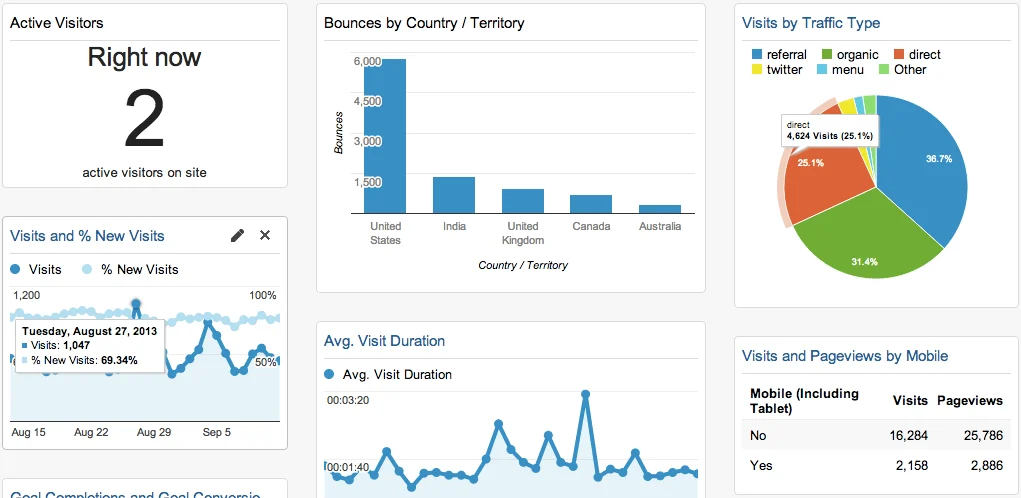

Google Analytics has announced a redesigned Dashboards experience, which the company is calling a new “command center” for GA4 reporting. The update is rolling out to all accounts over the next few weeks and is aimed at making it faster to build, customize, and organize core performance insights.
What’s Changing
According to Google’s announcement, the redesigned Dashboards are built around three goals: making it easier to build, customize, and share insights directly inside Google Analytics. The update streamlines the process of pulling together key metrics into a single view, rather than digging through separate reports and Explorations each time a team needs a status check.
Google says the new experience is designed to let users go from a blank dashboard to a working, shareable view of their core performance data in seconds, replacing what has historically been a more manual setup process in GA4’s Library and custom Overview Reports.
Why Dashboards Matter for GA4 Users
Since Universal Analytics’ drag-and-drop dashboard widgets were retired in the move to GA4, many marketers have relied on custom Overview Reports or third-party tools to get a single-page view of their key metrics. A more centralized, purpose-built Dashboards experience addresses a long-standing request from GA4 users who found the Reports and Explorations workflow slower for day-to-day monitoring compared to Universal Analytics’ original dashboard system.
By consolidating this into one redesigned space, teams can build a view that surfaces only the 5–10 metrics that actually drive their decisions, instead of scrolling through default reports built around dozens of metrics most teams don’t check daily.
Rollout Timeline
Google says the redesigned Dashboards are rolling out now and will reach all accounts over the next few weeks. Because the update is gradual, some GA4 accounts may see the new experience before others.
Where to Learn More
Google has pointed users to its official announcement for a full breakdown of what this update means for daily reporting workflows, along with guidance on getting started with the new Dashboards once it appears on an account.