

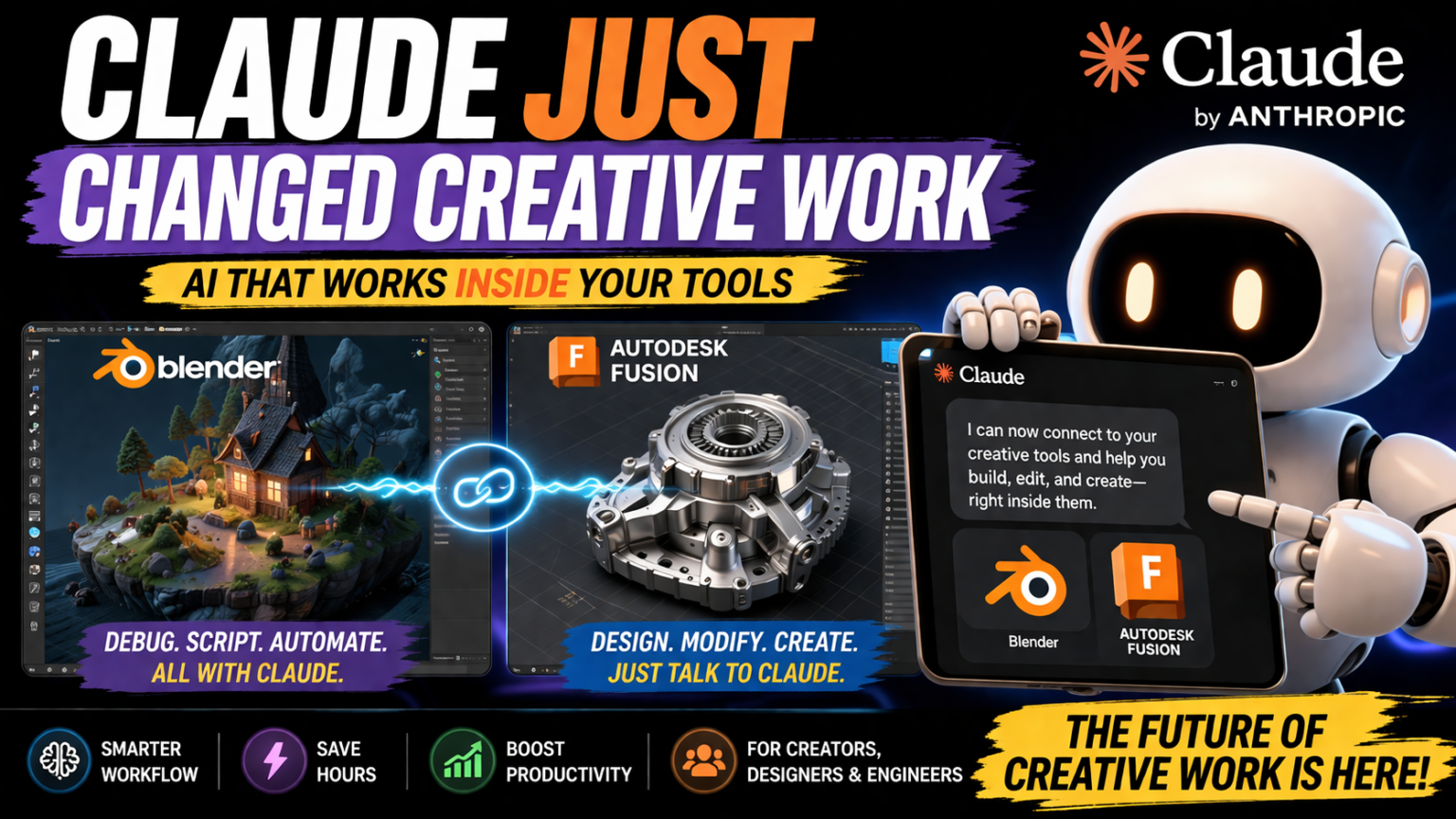

Imagine being able to walk into your favorite 3D design software, like Blender or Autodesk Fusion, and simply tell the program what you want to do next. It sounds like science fiction, right? But this is the future of creative work, and it’s already here. Thanks to Claude, a state-of-the-art AI introduced by Anthropic, you can now interact with software in a completely new way. This groundbreaking integration is reshaping the world of creative industries by making design processes faster, easier, and more intuitive than ever before.
- The Future of Creative Tools: AI-Powered Workflows
- Claude + Blender: Enhancing 3D Design with AI
- Automating 3D Scene Debugging in Blender with Claude
- Writing and Executing Python Scripts with Natural Language
- Streamlining Batch Editing and Object Modification in Blender
- Claude + Autodesk Fusion: Transforming CAD Design with Conversational AI
- Designing 3D Models Through Simple Conversations
- Modifying Complex Designs Using Prompts
- Speeding Up Complex CAD Workflows with Claude
- The Bigger Shift: From Manual Editing to AI-Driven Creation
- Breaking Down Barriers for Beginners and Professionals
- The Rise of Conversational Interfaces in Creative Industries
- How AI Will Transform Software Usage in the Future
- What This Means for Creative Professionals and Beginners
- Faster Workflows and More Time for Innovation
- A Lower Barrier for New Users in Creative Fields
- Increased Automation and Reduced Time on Repetitive Tasks
- Conclusion
Claude’s new features in Blender and Autodesk Fusion are designed to elevate creativity to new heights. Whether you’re an experienced designer or someone just starting your creative journey, Claude’s ability to interpret and execute natural language commands brings a revolutionary shift. In this article, we’ll explore how Claude’s integration with these two powerhouse creative tools is transforming the way we work and creating exciting new opportunities for everyone involved in the creative industry.
The Future of Creative Tools: AI-Powered Workflows
I’ve always been fascinated by how technology can enhance creativity. It wasn’t too long ago when creativity was tied to manual processes and software with a steep learning curve. For me, the most exciting part about the new advancements in AI is how they are lowering the barrier for creatives making the world of design, animation, and modeling more accessible.
The creative process has always involved trial and error, experimenting with designs, and refining concepts. But what if I told you that artificial intelligence can now accelerate that process? The world of creative tools is shifting away from traditional, button-driven interfaces and towards conversational, intuitive platforms that allow users to speak their ideas into existence.
What Claude’s integration with Blender and Autodesk brings to the table is exactly this kind of shift. It’s no longer about learning every single button or shortcut of your design software; instead, you just tell the system what you want. And the best part? It listens and understands your instructions in natural language.
With Claude working in tandem with both Blender and Autodesk Fusion, creative professionals like yourself can focus on pushing your boundaries and exploring new dimensions of creativity without getting bogged down by complex software workflows.
Claude + Blender: Enhancing 3D Design with AI
Blender is known for being one of the most powerful, open-source 3D design tools available today. But, let’s be honest Blender is also infamous for its complexity, especially for those who are new to 3D modeling. The learning curve can be steep, which often discourages beginners from fully unleashing their creativity. As someone who loves experimenting with 3D design, I know how frustrating it can be to get caught up in technicalities instead of focusing on the creative aspect.
Automating 3D Scene Debugging in Blender with Claude
Claude’s latest upgrade to Blender allows users to debug entire 3D scenes with nothing more than a few simple commands. That means no more manually searching through lines of code to identify errors. Instead, Claude can quickly identify problems within the scene, analyze the structure, and even offer solutions all with natural language.
This is particularly helpful when working on large, complex scenes. I’ve spent countless hours in the past troubleshooting tiny issues that often go unnoticed until later in the project. With Claude’s help, you can catch those errors early, saving you valuable time and ensuring that your designs are always polished and professional.
Writing and Executing Python Scripts with Natural Language
As a creative professional, I’ve always admired the power of Python in automating tasks and controlling scenes in Blender. But let’s be real it’s not easy to learn Python if you’re primarily focused on the artistic side of things. With Claude, writing and executing Python scripts is as easy as typing out a sentence. Imagine being able to say, “Create a random pattern of objects across the scene” or “Set up lighting effects for a sunset scene,” and Claude executes the script for you.
This integration makes programming accessible to people who may not have coding experience but still want to push their creative projects forward. By removing the barrier of scripting, Claude allows you to spend more time focusing on your vision and less time worrying about technicalities.
Streamlining Batch Editing and Object Modification in Blender
Anyone who has worked with complex 3D scenes knows that editing objects individually can be a tedious and time-consuming process. Claude’s integration with Blender allows for batch editing, meaning you can modify multiple objects in your scene simultaneously with a simple command. Whether it’s resizing objects, changing textures, or adjusting lighting settings, you can do it all at once without repetitive manual work.
For me, this ability is a game-changer. Not only does it speed up my workflow, but it also opens up new creative possibilities that were once too cumbersome to explore.
Claude + Autodesk Fusion: Transforming CAD Design with Conversational AI
As a designer or engineer, Autodesk Fusion is one of the most versatile tools for 3D modeling and CAD (Computer-Aided Design) work. However, like Blender, Autodesk Fusion has its own set of complexities. Many engineers spend years honing their skills in using CAD tools, and that’s because the learning curve is steep, particularly when it comes to modifying and creating detailed models. This is where Claude shines by simplifying the entire design process.
Designing 3D Models Through Simple Conversations
One of the most exciting features of Claude’s integration with Autodesk Fusion is the ability to design 3D models through conversation. Rather than manually drawing every line, curve, and surface, you can now tell Claude what you need and let it create the design for you. For example, you could say, “Design a car chassis with these dimensions” or “Create a turbine blade with specific aerodynamic properties,” and Claude will generate the model accordingly.
This is not just a huge time-saver but also a creative breakthrough. By enabling more intuitive and direct communication with software, you can push the boundaries of what’s possible in design without getting bogged down by the technicalities of the software.
Modifying Complex Designs Using Prompts
Another game-changing feature that Claude brings to Autodesk Fusion is the ability to modify existing designs using simple prompts. Imagine you’ve created a complex 3D model, but you need to adjust the shape, scale, or features of a specific section. With Claude, you can simply describe the changes you need, and it will make the modifications in real-time. No more fiddling with multiple menus or parameters Claude handles it with natural language.
This makes Autodesk Fusion more accessible, particularly for users who may not be familiar with all the advanced functions of the software. For beginners, it means that they can dive right into the creative process and make meaningful contributions without having to learn every intricate detail of the program.
Speeding Up Complex CAD Workflows with Claude
CAD design is notorious for its complexity and time-consuming processes. But with Claude’s conversational AI integration, you can speed up tasks that normally would take hours. For example, generating multiple versions of a design or creating a series of variations can be automated by simply describing the changes you want to see. Claude handles the heavy lifting, leaving you more time to focus on refining your designs.
In my experience, using AI to handle repetitive tasks has made my design process more efficient and allowed me to explore new ideas without being bogged down by the technical aspects of the software.
The Bigger Shift: From Manual Editing to AI-Driven Creation
We’re on the cusp of a major shift in the creative industries. Gone are the days when designers had to learn every aspect of a tool, memorize shortcuts, and navigate complicated user interfaces. The rise of AI-powered creative tools, like Claude’s integration with Blender and Autodesk, marks a transition to a new era where users simply describe what they want, and the software brings it to life.
Breaking Down Barriers for Beginners and Professionals
One of the most exciting aspects of Claude’s integration is how it democratizes creativity. For beginners, the steep learning curve associated with tools like Blender and Autodesk can be intimidating. But with Claude, you no longer need to struggle with complex menus or commands. You can dive straight into creating, regardless of your technical background. This not only helps new users but also empowers professionals to work more efficiently and creatively.
The Rise of Conversational Interfaces in Creative Industries
Imagine telling a program what you need instead of learning the syntax of a programming language or navigating endless menus. Conversational interfaces represent a fundamental shift in how we interact with technology. Claude’s integration with Blender and Autodesk is a prime example of how conversational AI is reshaping the creative process. The impact of this shift goes beyond just making workflows faster; it opens up new possibilities for what can be created, especially when the technical barriers are removed.
How AI Will Transform Software Usage in the Future
AI isn’t just here to assist us; it’s here to be a partner in the creative process. The future of software will be defined by its ability to understand and execute commands in natural language. As AI becomes more integrated with design software, it will continue to reduce the barriers between the user and the tools, making complex tasks easier and more intuitive. In the near future, we might not even have to think in terms of tools at all. Instead, we’ll just describe our vision, and the software will bring it to life.
What This Means for Creative Professionals and Beginners
For both experienced professionals and newcomers, Claude’s integration with Blender and Autodesk Fusion is a game-changer. As someone who is constantly looking for ways to streamline my creative process, I can confidently say that this shift will make my work faster and more enjoyable. But the benefits go beyond just me. This technology is opening doors for creatives everywhere, regardless of experience.
Faster Workflows and More Time for Innovation
With AI handling repetitive tasks, design errors, and time-consuming processes, creative professionals can focus on what matters most: innovation. The time saved on technical work can now be spent brainstorming, experimenting, and refining new ideas. For me, that’s the most exciting aspect having more time to push the boundaries of my creativity without being bogged down by tedious tasks.
A Lower Barrier for New Users in Creative Fields
For beginners, the promise of AI integration means that they don’t have to worry about mastering the tools before they can start creating. They can jump straight into the design process, describe what they want, and watch as Claude brings it to life. This lowers the barrier to entry for many, making creative fields more accessible than ever before.
Increased Automation and Reduced Time on Repetitive Tasks
One of the greatest gifts AI brings to the table is automation. Tasks that used to take hours such as batch editing, debugging, or running complex commands can now be completed in a fraction of the time. By automating these repetitive tasks, creatives can spend more time on high-level problem-solving and design, pushing the boundaries of their craft.
Conclusion
Claude’s integration with Blender and Autodesk represents the beginning of a new era in creative work. It’s a shift from manual editing and complex workflows to AI-directed creation and intuitive, conversational interfaces. Whether you’re a professional designer or a beginner, this technology opens up new possibilities for creativity. With AI handling technical tasks, you can focus on your vision and take your designs to new heights.