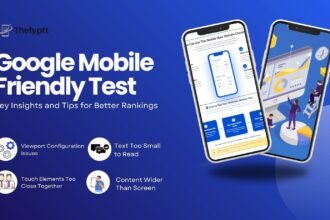




The Rise of Mobile Browsing and Why It Matters
The internet has changed dramatically in the last decade. People no longer rely mainly on desktop computers to search the web. Today, most browsing happens on smartphones and tablets. This shift has forced businesses, developers, and marketers to rethink how websites are built.
- The Rise of Mobile Browsing and Why It Matters
- What Is a Website Mobile View?
- Why Mobile View Matters More Than Ever
- How to Instantly Test Your Website Mobile View
- Why Google Prioritizes Mobile-Friendly Websites
- The Evolution of SEO Toward Mobile-First
- From Desktop Indexing to Mobile-First Indexing
- Why Mobile-First Indexing Is Important in 2026
- Key Mobile SEO Factors That Impact Rankings
- Mobile SEO Tools and Performance Tracking
- Conclusion
At the center of this change is Website Mobile View how a website appears and functions on mobile devices.
Search engines like Google now prioritize mobile usability when ranking websites. If your site performs poorly on mobile, your rankings may suffer, no matter how good your content is.
According to industry studies, more than 60% of global web traffic now comes from mobile devices, and that number continues to grow every year.
For website owners, this means one thing:
If your website does not work well on mobile, you are losing traffic, leads, and revenue.
In this guide, we will explore:
- How Website Mobile View affects SEO rankings in 2026
- What mobile-first indexing means for your website
- The technical and design factors that impact mobile SEO
- Practical steps to optimize your mobile experience
Whether you run a blog, business website, or e-commerce store, understanding mobile optimization is essential for staying competitive.
What Is a Website Mobile View?
Website Mobile View refers to the layout, design, and usability of a website when accessed on mobile devices such as smartphones and tablets.
Instead of simply shrinking a desktop layout, a mobile view adapts the website for smaller screens and touch navigation.
A well-optimized mobile view includes:
- Responsive layouts
- Fast loading pages
- Touch-friendly buttons
- Readable fonts
- Simplified navigation
In simple terms, mobile view ensures users can browse your website easily on their phones.
If you want to quickly preview how your site looks on different mobile devices, you can use tools like the Fyptt Mobile View Website Checker. This tool allows you to test your website’s responsive layout and identify mobile design issues instantly.
Why Mobile View Matters More Than Ever
Mobile users behave differently from desktop users.
They expect:
- Fast loading pages
- Easy navigation
- Simple interactions
- Clear content
If a website fails to meet these expectations, users leave quickly. This behavior signals poor user experience to search engines.
Google interprets these signals as a sign that the page may not be valuable, which can negatively impact rankings.
Regularly checking how your website appears on mobile devices using tools like the Fyptt Mobile View Website Checker can help ensure your website delivers a smooth mobile experience.
How to Instantly Test Your Website Mobile View
Many website owners assume their site is mobile-friendly simply because it loads on a smartphone. However, loading and being truly optimized for mobile are two different things.
A website might load on a phone but still have problems such as:
- Broken layouts
- Overlapping elements
- Small unreadable text
- Buttons too close together
- Images not scaling properly
These issues can harm both user experience and SEO rankings.
The easiest way to identify these problems is by using a mobile view testing tool.
For example, the Fyptt Mobile View Website Checker allows you to preview your website across multiple smartphone screen sizes instantly.
With this tool you can:
- Check how your site looks on different mobile devices
- Identify responsive design issues
- Test mobile layouts before publishing updates
- Improve user experience for mobile visitors
Regular mobile testing ensures your Website Mobile View remains optimized for both users and search engines.
Why Google Prioritizes Mobile-Friendly Websites
Google’s main goal is to provide the best possible experience for users.
Since most searches now happen on smartphones, Google prioritizes websites that are optimized for mobile devices.
Google evaluates several mobile ranking factors, including:
- Mobile usability
- Page speed
- Responsive layout
- Touch-friendly design
- Content readability
If your website performs poorly on mobile, Google may rank competitors higher even if your content is better.
This is why tools like mobile view testers have become essential for website owners.
You can quickly check how your site appears on different devices using the Fyptt Mobile View Website Checker, helping you detect design issues before they impact rankings.
The Evolution of SEO Toward Mobile-First
From Desktop Indexing to Mobile-First Indexing
Years ago, Google ranked websites based on their desktop versions. Mobile websites were considered secondary.
That changed with the introduction of mobile-first indexing.
Now, Google primarily evaluates the mobile version of a website when determining rankings.
If your mobile version is incomplete, slow, or poorly structured, it may hurt your visibility in search results.
According to the official documentation from Google Search Central:
Google now crawls and indexes websites based on their mobile layout.
Why Mobile-First Indexing Is Important in 2026
Mobile-first indexing has matured significantly since its initial rollout.
In 2026, search algorithms rely heavily on:
- Mobile usability
- Page experience
- Core Web Vitals
- Accessibility
- Speed
This means mobile optimization is no longer optional
It is now a core ranking factor.
Key Mobile SEO Factors That Impact Rankings
1. Mobile Page Speed
Speed is one of the most important factors in mobile SEO.
Mobile users often browse while on the move, and slow pages frustrate them quickly. Research shows that if a page takes longer than 3 seconds to load, many users abandon it.
Google measures page performance using Core Web Vitals, including:
- Largest Contentful Paint (LCP)
- Interaction to Next Paint (INP)
- Cumulative Layout Shift (CLS)
You can test your site performance using:
However, if you want to check how your website actually appears on mobile devices, you can use the Fyptt Mobile View Website Checker to preview your site on different smartphones and screen sizes.
A faster Website Mobile View improves:
- Search rankings
- User engagement
- Conversion rates
2. Responsive Website Design
Responsive design automatically adjusts the layout based on screen size.
Instead of building separate mobile and desktop websites, responsive design uses flexible grids and CSS.
Benefits include:
- Easier maintenance
- Better SEO performance
- Consistent user experience
- Improved indexing
Google officially recommends responsive design as the preferred mobile configuration.
3. Mobile User Experience (UX)
Search engines analyze how users interact with your website.
A good mobile UX includes:
- Easy navigation menus
- Clear call-to-action buttons
- Legible text without zooming
- Proper spacing between elements
Poor UX signals include:
- High bounce rates
- Short session duration
- Frequent back-button usage
Improving UX helps both users and search engines understand your content.
Mobile SEO Tools and Performance Tracking
To improve your mobile SEO strategy, you must monitor performance.
Useful tools include:
Google Search Console
Provides insights on:
- Mobile usability errors
- Search impressions
- Click-through rates
Google PageSpeed Insights
Analyzes:
- Loading performance
- Core Web Vitals
- Technical issues
Mobile View Testing Tools
You can also test your website layout and responsiveness using tools like the Fyptt Mobile View Website Checker, which lets you preview how your website appears on different mobile devices instantly.
Using these tools regularly ensures your Website Mobile View stays optimized.
Conclusion
The digital landscape continues to evolve, but one trend remains clear: mobile browsing dominates the internet.
Because of this shift, Website Mobile View has become one of the most critical factors in SEO rankings in 2026.
Search engines prioritize websites that deliver:
- Fast loading speeds
- Responsive design
- Excellent mobile usability
- Optimized content
Businesses that ignore mobile optimization risk losing visibility, traffic, and customers.
The good news is that improving mobile performance does not require a complete website overhaul. Small improvements in speed, design, and usability can dramatically enhance your rankings.
If you want to stay competitive in modern search results, optimizing your Website Mobile View and regularly testing it using tools like the Fyptt Mobile View Website Checker can help ensure your website delivers the best mobile experience possible.
FAQ: Website Mobile View and SEO
What is a Website Mobile View?
Website Mobile View refers to how a website appears and functions on smartphones and tablets. It ensures pages are readable, responsive, and easy to navigate on smaller screens.
Why is mobile view important for SEO?
Mobile view is important because Google uses mobile-first indexing, meaning it evaluates the mobile version of your website when determining search rankings.
How can I check my website mobile view?
You can test your website using tools like:
- Google Mobile-Friendly Test
- PageSpeed Insights
- Fyptt Mobile View Website Checker
These tools help identify layout issues and mobile usability problems.
What is mobile-first indexing?
Mobile-first indexing means Google primarily uses the mobile version of a webpage for indexing and ranking in search results.
What is the best design for mobile SEO?
Responsive web design is considered the best approach because it automatically adapts layouts to different screen sizes and devices.
How fast should a mobile website load?
A mobile website should ideally load in 2–3 seconds to provide a smooth user experience and maintain strong SEO performance.